
HelpDesk.com integrations
Connect customer service with the tools your business uses to sell, retain, and serve. Text Workflows move useful context from chats and tickets to the next team while the signal is still fresh.
Free 14-day trial No credit card required
Text products are trusted by 35,000+ leading brands














Start with the system that holds the next step: your store, CRM, website, retention platform, or team channel. Each connection below is supported by the current Text product.
Commerce

Bring cart, order, and product context into customer conversations so your team can remove purchase friction.
Explore Shopify integration →Commerce

Connect store conversations with tickets, AI, and selected ecommerce context from your WordPress storefront.
Explore WooCommerce integration →CRM and retention

Find, create, and update contacts from supported chat and ticket triggers, keeping service signals useful to sales.
Explore HubSpot integration →CRM and retention

Create and update leads, contacts, accounts, and cases from customer conversations and tickets.
Explore Salesforce integration →CRM and retention

Turn supported ticket and customer events into profile, list, and event updates for timely follow-up.
Explore Klaviyo integration →Website platforms

Add the Text website widget to WordPress for live chat, AI agents, Workflows, and visitor context.
Explore WordPress integration →Website platforms

Install the Text website widget without pasting code, then manage site conversations in the Text inbox.
Explore Webflow integration →Team workflows

Through Workflows, notify the right Slack channel when an urgent ticket, poor rating, or qualified lead is detected.
Explore Slack workflows →Visual Workflows
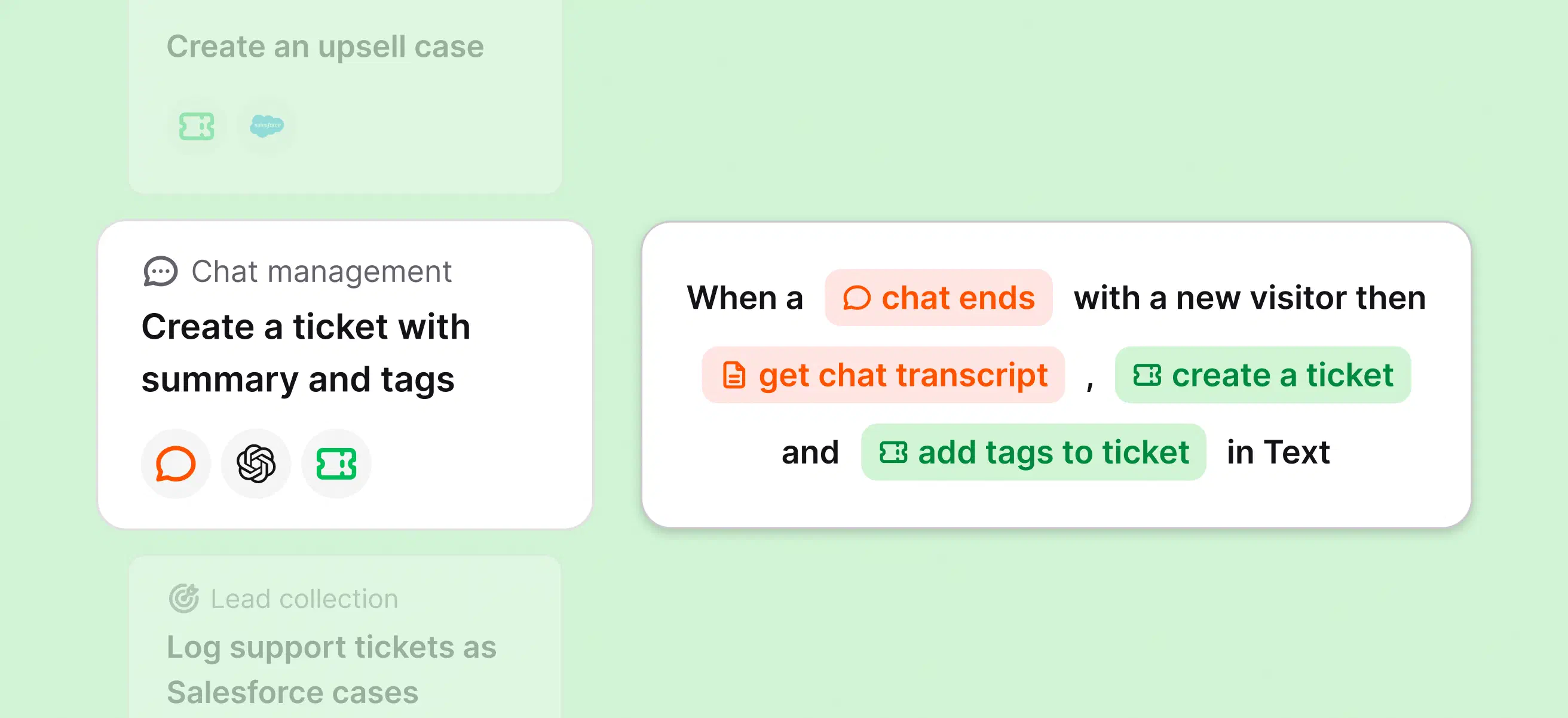
Every Workflow starts with a supported trigger. It can reuse conversation and ticket data in later steps, then update a connected system or notify the team that needs to act.
Explore help desk automation →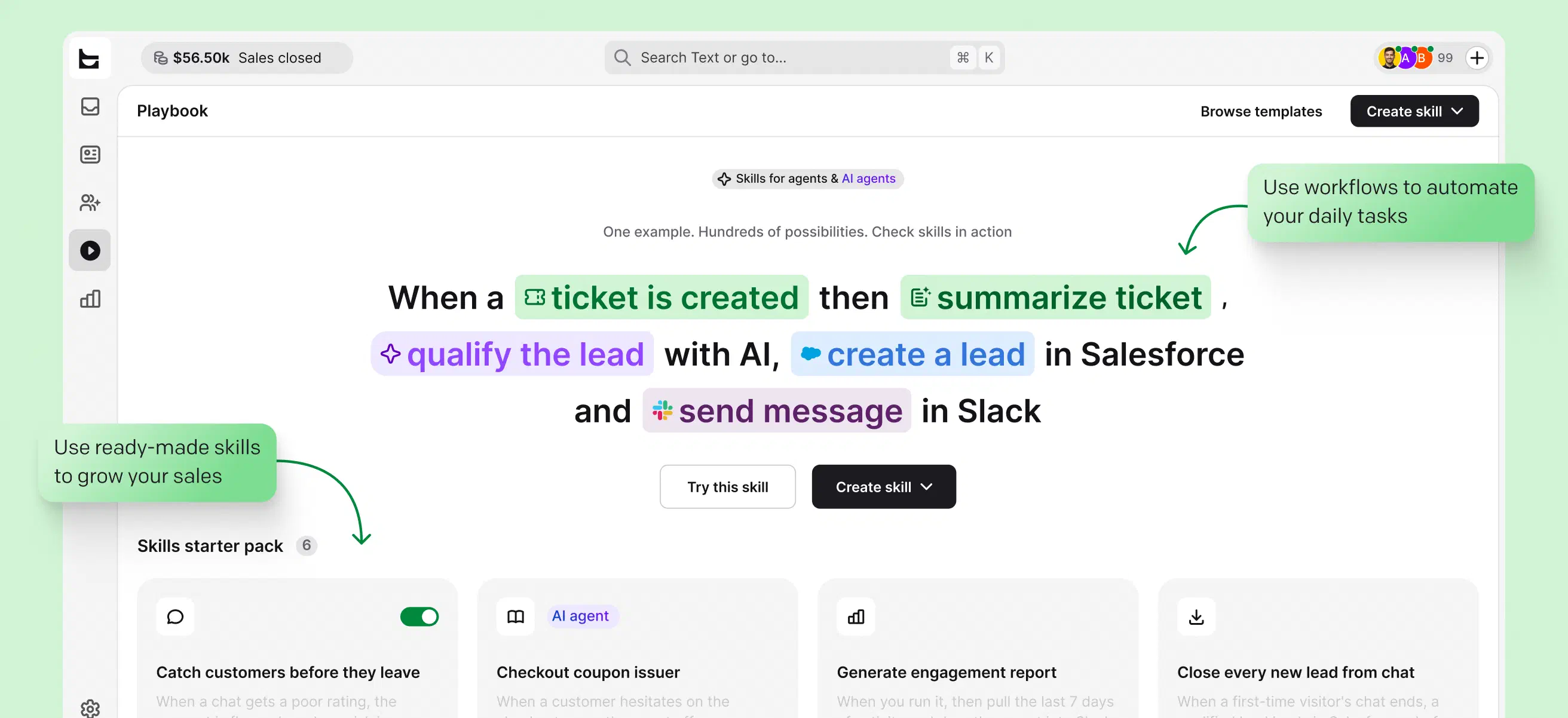
Step 1
A chat ends, a ticket changes, or another supported customer event starts the Workflow.
Step 2
Conversation details, ticket fields, and data returned by earlier steps become variables for what follows.
Step 3
Update a CRM record, run a Klaviyo action, or send a useful notification to Slack.
Webhooks
Use the HTTP request action to send selected Workflow data to an external API. You control the endpoint, authentication, request, and the values passed to later steps.
Webhook setup requires technical knowledge of the system you are connecting.
Learn how webhook actions work →The strongest integration starts with one measurable moment, not a long list of apps.
Commerce
Put current product, order, or CRM context beside the conversation so teams can remove friction before a buyer leaves.
Sales
Move a qualified signal from service to the CRM or Slack channel where sales can follow up.
Retention
Use a poor rating or ticket outcome to trigger the next step before a customer quietly disappears.
A help desk integration connects customer conversations and ticket data with another business system. The connection can bring context into the help desk, send a useful update out, or trigger a sequence of actions across both.
The result should be specific: a sales record stays current, a store question gets answered with order context, or the right team sees a retention signal in time to act.
HelpDesk.com connects with Shopify, WooCommerce, HubSpot, Salesforce, Klaviyo, WordPress, and Webflow. Text Workflows can also send notifications to Slack, while webhooks provide a path to selected external systems that expose an API.
Yes. Text Workflows include supported actions for both CRMs. HubSpot actions can find, create, and update contacts. Salesforce actions can work with contacts, leads, accounts, and cases.
Yes. The HTTP request action can send data to an external API from a Workflow. You need the API endpoint, authentication details, and a clear understanding of the data the external system expects.
Yes. HelpDesk.com is part of Text, and the signup form on this page starts a Text trial that includes the current help desk, Workflows, live chat, and AI agent experience.
Yes. The Shopify integration brings current cart, order, and product context into customer conversations, helping teams answer purchase questions with the information already in view.
A Workflow starts with a supported trigger, such as a chat ending or a ticket changing. It then runs actions in order, using information from the conversation or ticket to update another tool, notify a team, or continue the customer process.
Built-in integrations and Workflow actions use a visual setup. Webhooks usually need technical knowledge because you configure the API request and authentication yourself.
Connect the customer moment that matters most, see the value, and expand when the next use case is clear.
Free 14-day trial No credit card required