AI ticketing & automation
24/7/365 support
SOC 2 & GDPR
An affordable, easy-to-use ticketing system with an AI agent built in. Test it on your real support traffic.
No credit card required Free 14-day trial
Text products are trusted by 35,000+ leading brands






Invite your teammates and test HelpDesk.com together. Add as many users as you want, and run the trial on your real support traffic. Everyone works in the same shared inbox from day one.

Automate routine work with workflows, speed up replies with canned responses, organize cases with tags, and browse reports to spot trends. Everything is on during the trial.

Every account comes with an AI agent. Point it at your website or upload your docs, and it starts answering routine questions in chat. Up to 73% of customer cases get resolved before a ticket is even created.

Questions during your trial? Our support team is online around the clock, every day of the year. Start a chat whenever something comes up, and get an answer right away, along with setup help and guidance.
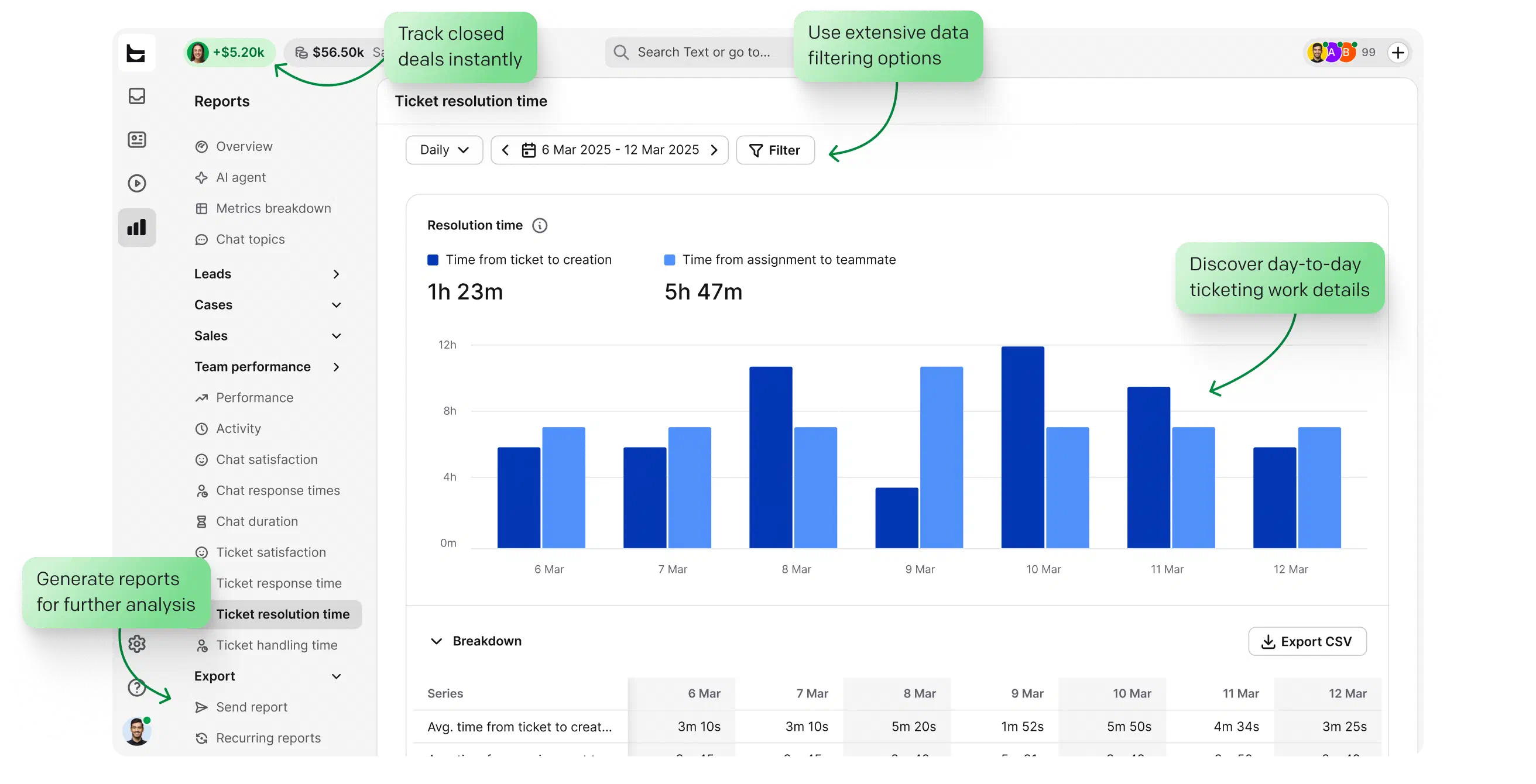
HelpDesk.com shows you an overview of all your tickets, so you always know what’s happening in your customer support. Built-in reports give you additional insight into your results, and the AI-assisted inbox keeps email management easy.
Free 14-day trial No credit card required
You'll be in
good company


The minute you create the automation rules, you can mark it ready to go live, and it immediately starts working for you.Nate Johnson
100+
tickets handled within four hours through prioritization and tagging.
7,000
actions performed by automation instead of agents.

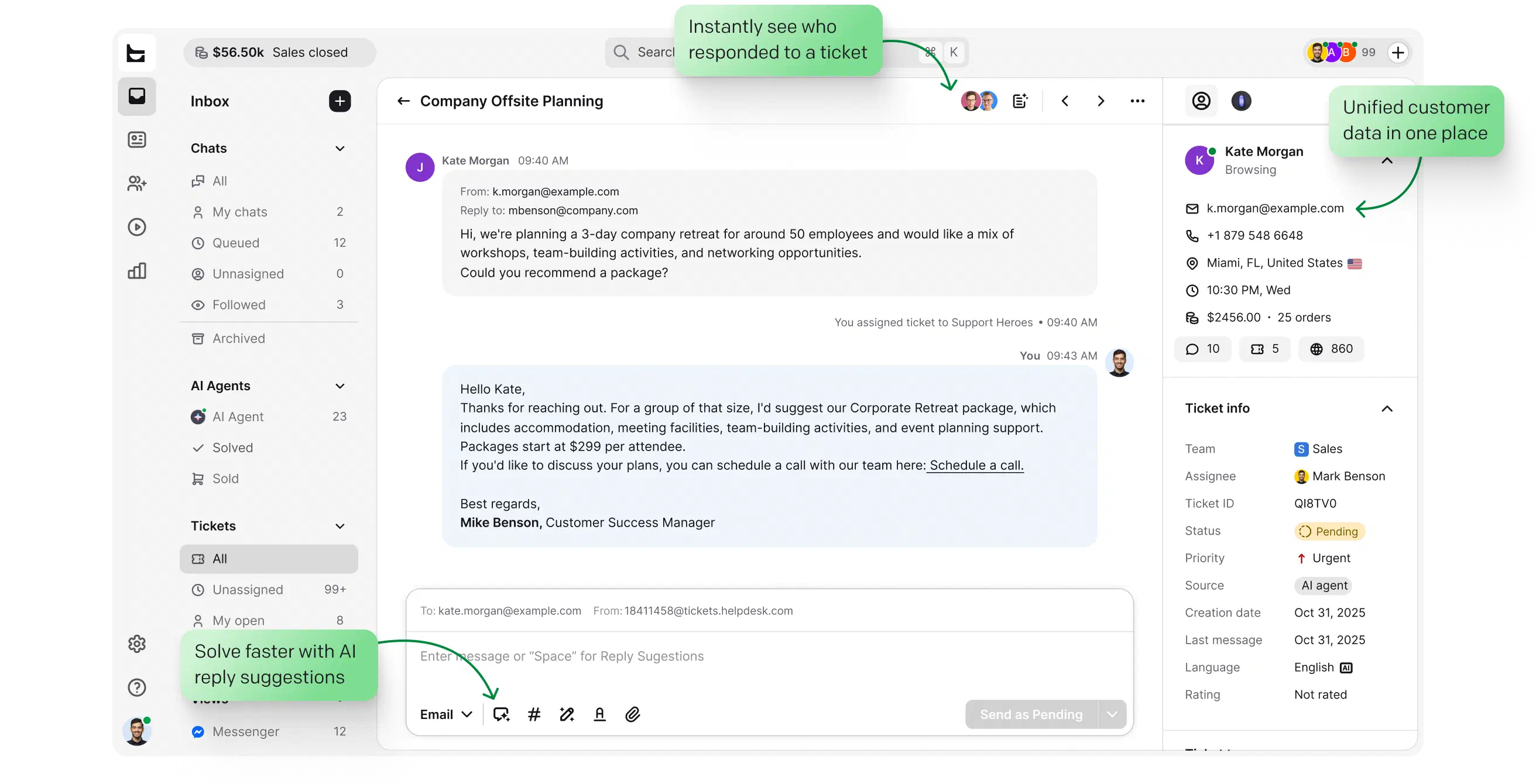
Manage email, chat, Messenger, and SMS in one well-structured ticketing system. The HelpDesk.com dashboard shows you everything about your current workload, so nothing slips through the queue.

Introduce automation to your customer support. Answer repeated requests with canned responses, route cases with ticket rules, and use private notes to work things out with teammates without leaving the app.

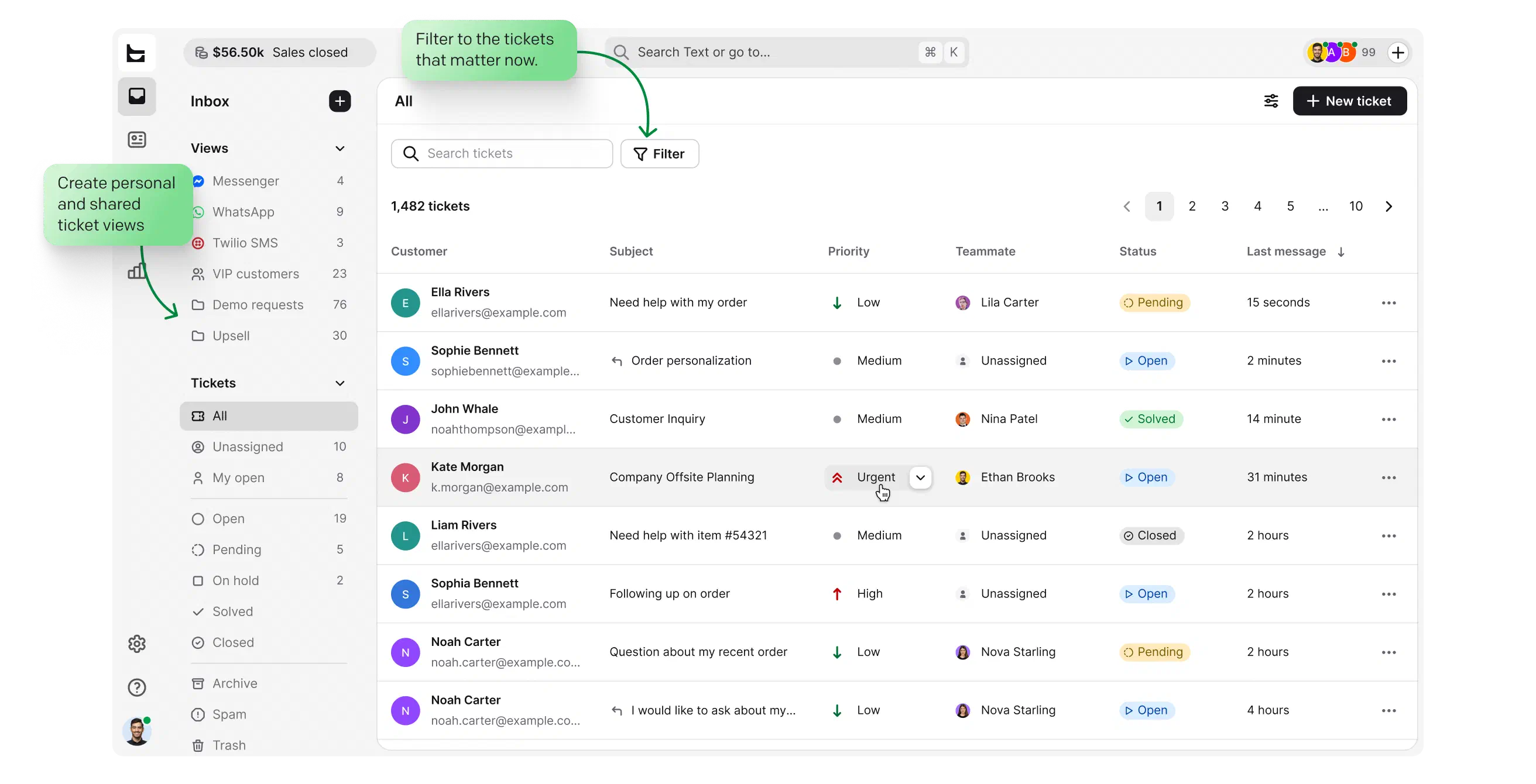
Ticket history and customer details sit right next to the conversation, so every answer lands with full context. Precise answers keep customers coming back, and conversion and lead tracking shows you which conversations turn into sales.

Laptop, mobile, or tablet: HelpDesk.com works in any browser, with nothing to download. Prefer a dedicated app? Desktop apps for Mac and Windows are there too. Your data is protected with enterprise-grade security: SOC 2, GDPR, and PCI DSS.

See how simple it is to start with HelpDesk.com. Keep using your current email address or connect your own domain, so replies come from your company inbox. Add teammates and take your first ticket in minutes.

HelpDesk.com is designed to simplify your workflow. Step-by-step onboarding and a self-service Help Center guide you through the product, so your team gets comfortable in the first session instead of after weeks of training.

Transparent pricing after your free trial, with no hidden costs. Pick the plan that matches your team when you're ready, or simply walk away. Try HelpDesk.com for free and decide later.

Cancel for free, anytime. Adjust the number of users to your current needs, and pick monthly billing for flexibility or an annual subscription with one payment per year.

Need more time for a complex implementation?
Every user gets a free 14-day HelpDesk.com trial, and that’s usually plenty of time to test it on your real support traffic. If your evaluation is more complex, contact us and tell us about your case. We’re happy to talk it through.
HelpDesk.com is a paid ticketing system with a free 14-day trial. You get the full product, including the AI agent, with no credit card required. After 14 days you can pick a plan or simply stop, at no cost.
Everything. You get the complete help desk ticketing system with no user cap: a shared inbox for email, chat, Messenger, and SMS, an AI agent, workflows, canned responses, tags, and reports. Invite your whole team and test it together, whether you're a small business or a larger support operation. Testing it for an internal IT help desk? The trial covers that, too.
HelpDesk.com doesn't offer a forever-free plan. Instead, every new account gets the complete product free for 14 days, with no user cap, so a small business can run the shared inbox, AI agent, and automations on real customer traffic without paying anything. That includes every feature, not a limited starter tier, so what you test is exactly what you'd buy. After the trial, transparent pricing with no hidden costs lets you pick a plan that fits your team, and you can cancel anytime. Many small teams take their first ticket the same day they sign up.
Yes. Every trial includes the full AI help desk toolkit, with the AI agent active from the first minute. Point it at your website or upload your help docs, and it starts answering routine customer questions in chat, using your real content instead of canned demo answers. Up to 73% of customer cases get resolved before a ticket is even created, and the cases that need a person are handed off to your team with full context. Watching it work on your own traffic during the trial is the fastest way to judge what AI-assisted support would change for your business.
About five minutes: sign up with your email, connect your support address, and take your first ticket. Step-by-step onboarding guides you through the essentials, and a self-service Help Center covers the details, so there's no implementation project before your team can start working. Inviting teammates, preparing canned responses, and switching on ticket rules are all things you can do gradually during the 14 days, while real tickets are already flowing. And if you get stuck at any point, our support team is online 24/7 on chat.
No. Sign up with your email address and start working with tickets right away. You only add payment details if you decide to subscribe.
Nothing is charged, because we never collected your payment details. Choose a subscription to keep working, or your account simply expires. Evaluating something more complex? Contact us and tell us about your case.
Free and open-source help desk tools usually mean hosting, updates, backups, and security are your job, and support comes from community forums. HelpDesk.com is a managed ticketing system: SOC 2, GDPR, and PCI DSS compliance, 24/7 human support, and a built-in AI agent are part of the product, with nothing to install or maintain. That difference matters most once your help desk becomes business-critical and downtime or a security gap gets expensive. You can compare it against a self-hosted setup during the free 14-day trial, with no credit card required, and see which total cost actually works out lower.
Email, live chat, Messenger, and SMS, all flowing into one shared inbox, so a conversation that starts on one channel stays one ticket with full history. Keep your current support address or connect your own domain, so replies come from your company inbox rather than a generic one. Every channel is available from the first minute of the trial, with no separate tier to unlock multichannel support. Connect the channels your customers already use, and test how a single queue changes your team's day-to-day work.
Discover an effortless customer service tool from Text.