The Best Help Scout Alternatives for 2026 (Quick Verdict)
So what are the best alternatives to helpscout? In 2026, the shortlist looks like this. HelpDesk.com wins on streamlined ticketing with transparent pricing. Zendesk is the pick for enterprise-scale support with native SLAs. Zoho Desk is the strongest free and budget choice. Gorgias suits Shopify and ecommerce teams. If AI-first automation is your priority, Intercom leads thanks to its Fin AI Agent.
This guide is written for B2B support leaders and operations teams weighing a switch away from Help Scout. You'll find a jump-to comparison table, honest pros and cons, and a dedicated AI-pricing breakdown so surprise bills don't catch you out. Skip to the comparison table.
Why Teams Are Looking for Help Scout Alternatives in 2026
Help Scout earned its reputation on simplicity and a human-centered approach: a shared inbox, a clean interface, and knowledge base tools that small teams love. For years, that was enough.
Expectations have moved on. Buyers now want autonomous AI resolution, granular reporting, native SLA enforcement, and pricing that doesn't punish growth. Help Scout is still a solid customer support platform for some teams, but it goes up against tools with much larger footprints and deeper feature sets. As support volumes climb and customer experience turns into a revenue lever, plenty of teams find they've outgrown what Help Scout offers, which is why the search for helpscout alternatives keeps intensifying.
The switching triggers below aren't about Help Scout being "bad." They point to specific gaps that push scaling B2B teams to look elsewhere. If you're evaluating help scout competitors, these are the reasons that come up most.
Help Scout's Key Limitations (Reporting, SLAs, AI, Pricing)
When support leaders explain why they're leaving, a handful of themes repeat:
- Thin reporting and insights. Help Scout reports on response times, resolution, and customer happiness, and its reporting tools are widely considered basic. Teams that need custom dashboards, cohort analysis, or deep operational reporting often find it limited next to enterprise-grade tools.
- No native SLA/OLA management. Help Scout lacks the robust, built-in service level agreement enforcement and escalation you get from dedicated help desks like Zendesk or HappyFox. Service level agreements are important for managing customer expectations, so for B2B teams with contractual response-time commitments that's a common dealbreaker.
- Limited automation depth. Workflows exist. As support tickets and routing complexity grow, though, teams tend to want more sophisticated triage, conditional logic, and workflow automation.
- AI that lags AI-first competitors. Help Scout has added AI features, but it doesn't position itself as an autonomous-resolution platform the way Intercom's Fin or Freshdesk's Freddy do.
- Per-contact pricing that penalizes growth. Historically, Help Scout's model has factored in the number of contacts you interact with. Costs can climb unpredictably as your audience grows, unlike straightforward per-agent pricing.
- A UI and knowledge base that feel simple by design. That's great for onboarding. Teams wanting richer knowledge base articles, templates, and deep customization can hit a ceiling.
None of these is fatal on its own. For a growing B2B team, stacked together, they add up to a reason to move.
Does Help Scout Have a Free Plan or Free Trial?
Help Scout offers a free trial so you can test the customer service software before committing, but it's a paid product, not a permanently free tool. Its plans are tiered, and as noted above, pricing has historically factored in contact volume alongside users. Vendors adjust plans often, so confirm the current trial length, tiers, and contact limits on Help Scout's pricing page before you decide. If a free plan is a must-have, several options below (Zoho Desk, Crisp, and Tidio) offer a free tier.
How We Evaluated These Help Scout Alternatives
To keep this list decision-grade rather than a feature dump, we judged each support tool against the criteria that actually matter when you switch:
- Features and channels covering email, live chat, phone, social, and messaging.
- AI capabilities such as autonomous resolution, agent copilots, triage, and AI quality review.
- Pricing transparency, meaning per-agent versus per-contact models and whether AI costs are predictable.
- Free tier and trial, and how easily you can test before buying.
- Integrations across CRM, ecommerce, and team collaboration tools.
- SLA support, specifically native SLA/OLA management for B2B commitments.
- Security and compliance, including SOC 2, GDPR, and HIPAA where relevant.
- User sentiment, drawn from public reviews on G2, Capterra, and Reddit.
One caveat on ratings and prices: scores and pricing change constantly. The figures and impressions here are indicative and reflect general market positioning. Always verify current scores and pricing on each vendor's own site before committing budget.
Help Scout Alternatives at a Glance (Comparison Table)
The table below gives you a fast, scannable overview. Pricing and ratings shift often, so treat these as directional and confirm on vendor sites.
| Tool | Best for | Pricing model | Free tier / trial | AI billing model | Key channels | SLA support | Security |
|---|---|---|---|---|---|---|---|
| HelpDesk.com | Streamlined, transparent ticketing | Per user | Free trial | Bundled + overage | Email, live chat, tickets | Yes | SOC 2, GDPR |
| Zendesk | Enterprise-scale CX | Per agent (tiered) | Free trial | AI add-on | Omnichannel | Yes | SOC 2 Type II, GDPR, HIPAA-ready |
| Freshdesk | All-rounder with Freddy AI | Per agent + free tier | Free tier + trial | Per-session (Freddy) | Omnichannel | Yes | SOC 2, GDPR |
| Intercom | AI-first automation | Per seat + usage | Free trial | Per-resolution (Fin) | Chat, email, help center | Yes | SOC 2, GDPR, HIPAA |
| HubSpot Service Hub | CRM-integrated support | Per seat + free tools | Free tools + trial | Bundled/credits | Email, chat, portal | Yes | SOC 2, GDPR |
| Zoho Desk | Budget + free plan | Per agent (low) | Free plan (3 agents) | Bundled (Zia) | Omnichannel | Yes | SOC 2, GDPR, HIPAA |
| Front | Collaborative shared inbox | Per seat | Free trial | Bundled | Email, chat, social | Yes | SOC 2, GDPR |
| Gorgias | Ecommerce/Shopify | Ticket-based tiers | Free trial | Usage/automation | Email, chat, social, WhatsApp | Limited | SOC 2, GDPR |
| Hiver | Gmail/Google Workspace | Per user | Free trial | Bundled | Email (Gmail), chat | Yes | SOC 2, GDPR, HIPAA |
| LiveAgent | Multichannel on a budget | Per agent + free tier | Free tier + trial | Bundled | Email, chat, phone, social | Yes | GDPR |
| HappyFox | Mid-market automation | Per agent | Demo/trial | Bundled | Omnichannel | Yes | SOC 2, GDPR, HIPAA |
| Groove | Simple help desk for small teams | Per user | Free trial | Limited | Email, help center | Basic | GDPR |
| Kayako | Journey-based support | Per agent | 14-day trial | Bundled | Omnichannel | Yes | GDPR |
| Crisp | Startups wanting chat + AI | Per workspace | Free tier | AI answers | Chat, WhatsApp, email | Limited | GDPR |
The 15 Best Help Scout Alternatives & Competitors Compared
Every tool below follows the same format so you can compare like with like: an overview, key features, pros, cons, pricing, who it's best for, and when to pick it over Help Scout. Each entry includes honest cons, because no platform is right for everyone. These are the best help scout alternatives we'd put in front of a shortlist.
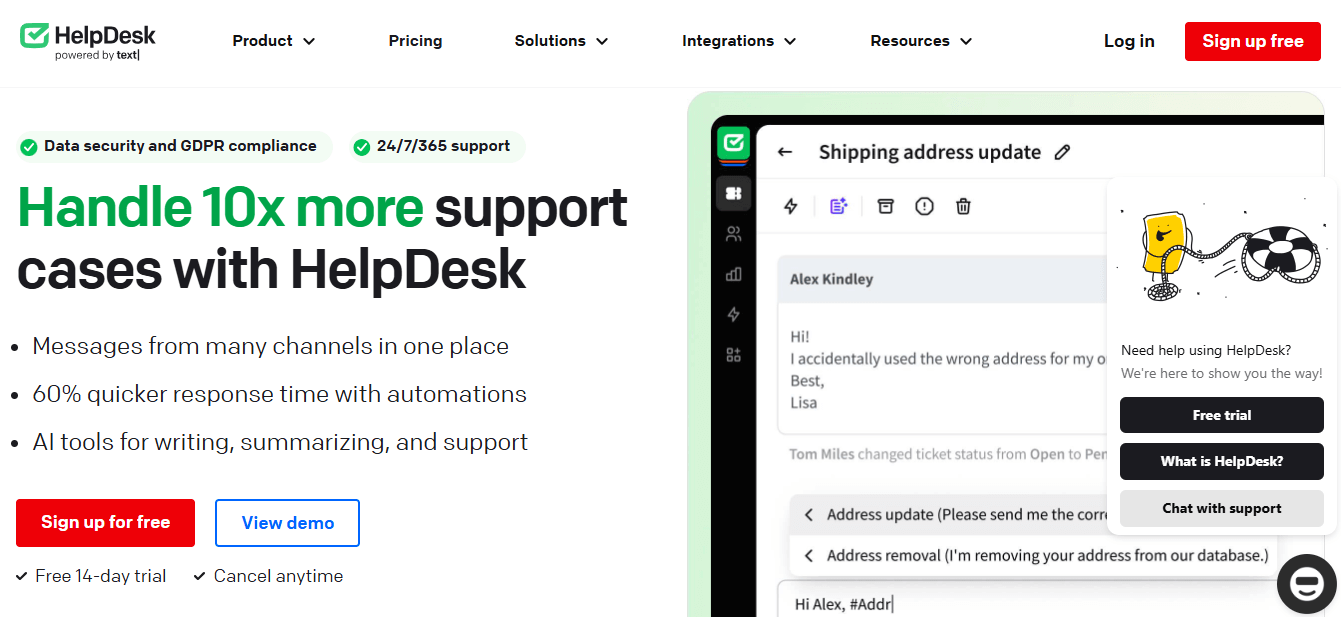
1. HelpDesk.com: Best for Streamlined, Transparent Ticketing
HelpDesk.com is customer support software built to help businesses deliver personalized support without the bloat. It streamlines customer communication through a clean interface, a ticketing system, automation, and customizable workflows. Built by the team behind LiveChat and ChatBot.com, it pairs tidy ticketing with native live chat and built-in AI assistance, plus native integrations with tools like Shopify, Slack, and HubSpot. Key features include ticket management, AI reply suggestions, intuitive workflows, end-to-end personalization, and customizable reporting.
Pros
- Intuitive interface with a short learning curve.
- Native live chat and a built-in AI agent, from the team behind LiveChat and ChatBot.com.
- Customizable reporting that goes beyond basic metrics.
- Transparent per-user pricing.
Cons
- Fewer legacy integrations than sprawling enterprise suites.
- Teams needing complex telephony or large-scale contact-center routing may want a specialist tool.
Pricing
On pricing, HelpDesk.com offers a free trial and then straightforward per-user plans, with no per-contact penalties as your audience grows. It's a strong fit for B2B and small businesses that want a modern ticketing system, clean reporting, and predictable support costs. Pick HelpDesk.com over Help Scout when you want stronger native reporting, more capable workflow automation, and a modern UI, without the per-contact model that makes Help Scout costs harder to forecast.
Try HelpDesk.com!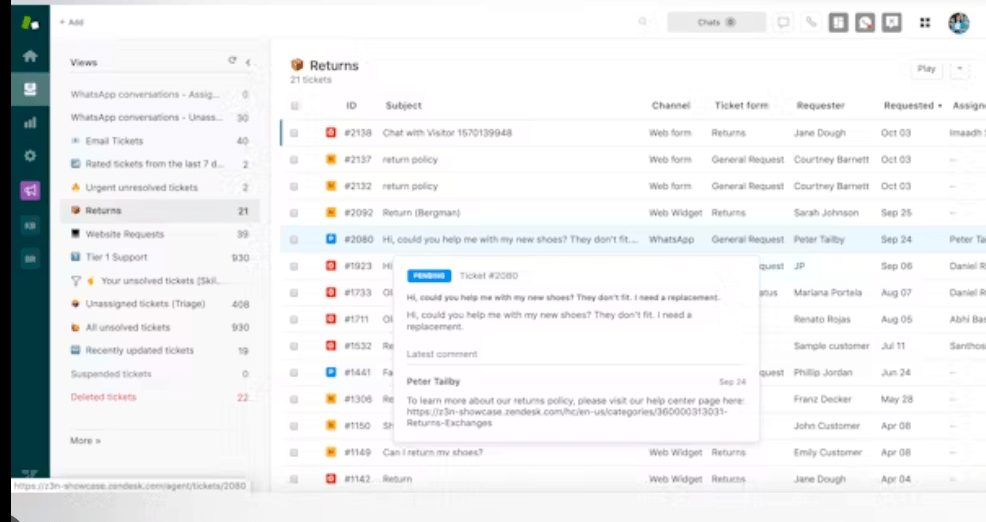
2. Zendesk: Best for Enterprise-Scale Support
Zendesk is one of the most established names in customer experience, often placed in the CRM customer engagement center category, and it's built for large and scaling teams that need omnichannel support, deep reporting, and enterprise governance. It's the platform many companies graduate to once they've outgrown lightweight desk software. Key features include omnichannel support across email, chat, voice, social, and messaging, robust analytics, native SLA management, AI agents for automated resolution, and over 1,500 marketplace integrations.
Pros
- Enterprise-grade reporting and highly customizable dashboards.
- Strong SLA and escalation tooling for B2B commitments.
- AI agents that automate repetitive customer requests across channels.
- Mature security posture, including SOC 2 Type II and GDPR support.
Cons
- Can get expensive as you add seats and premium features.
- Complexity and configuration overhead can be significant for small teams.
- Advanced AI features are typically priced as add-ons.
Pricing
Zendesk starts at around $19 per agent per month for basic email support and scales through tiered per-agent plans with a free trial. AI features are often billed separately, so verify current tiers on its site. It's aimed at large CX organizations and fast-scaling companies that need omnichannel depth and SLAs. Choose it over Help Scout when native SLA management, enterprise reporting depth, and omnichannel scale are non-negotiable.
3. Freshdesk: Best All-Rounder with Freddy AI
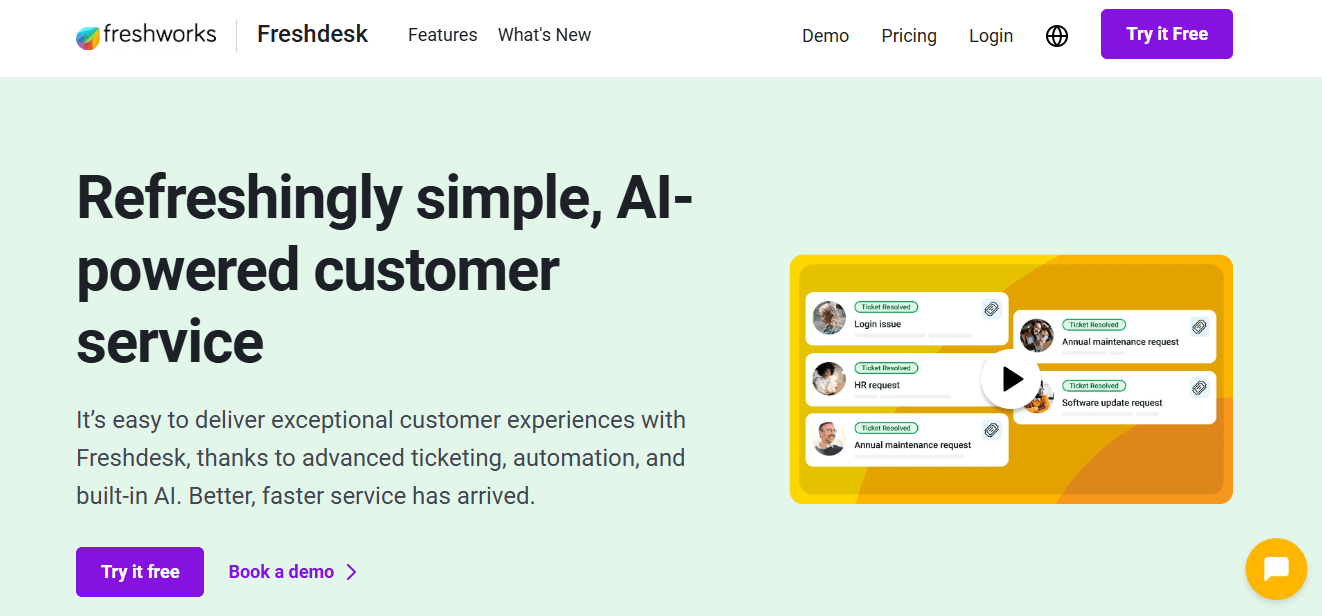
Freshdesk, from Freshworks, is a cloud-based support platform that helps businesses manage customer interactions across email, phone, chat, and social. It balances a friendly interface with a genuinely deep feature set, offers more automation than Help Scout, and its Freddy AI layer adds automation and agent assistance. You get a ticketing system, workflow automation, team collaboration, multiple dashboards for comprehensive reporting, self service portals, and the Freddy AI agent for deflection and assistance.
Pros
- Easy-to-use interface with powerful underlying features.
- Freddy AI resolves repetitive requests without agent involvement.
- Automates ticket routing based on agent skills.
- Generous free tier for smaller teams.
Cons
- Freddy AI is billed by AI sessions, so costs scale with usage.
- Omnichannel support requires additional products.
- Advanced features live on higher tiers.
Pricing
Freshdesk offers a free tier plus a trial, with per-agent plans starting at $19 per user per month for the Growth plan. Freddy AI is priced per session, so factor that into your total cost. It suits teams that want a balanced mix of features and AI at moderate cost. Choose it over Help Scout for stronger automation, omnichannel breadth, and built-in AI where Help Scout feels thin.
4. Intercom: Best for AI-First Automation (Fin AI Agent)
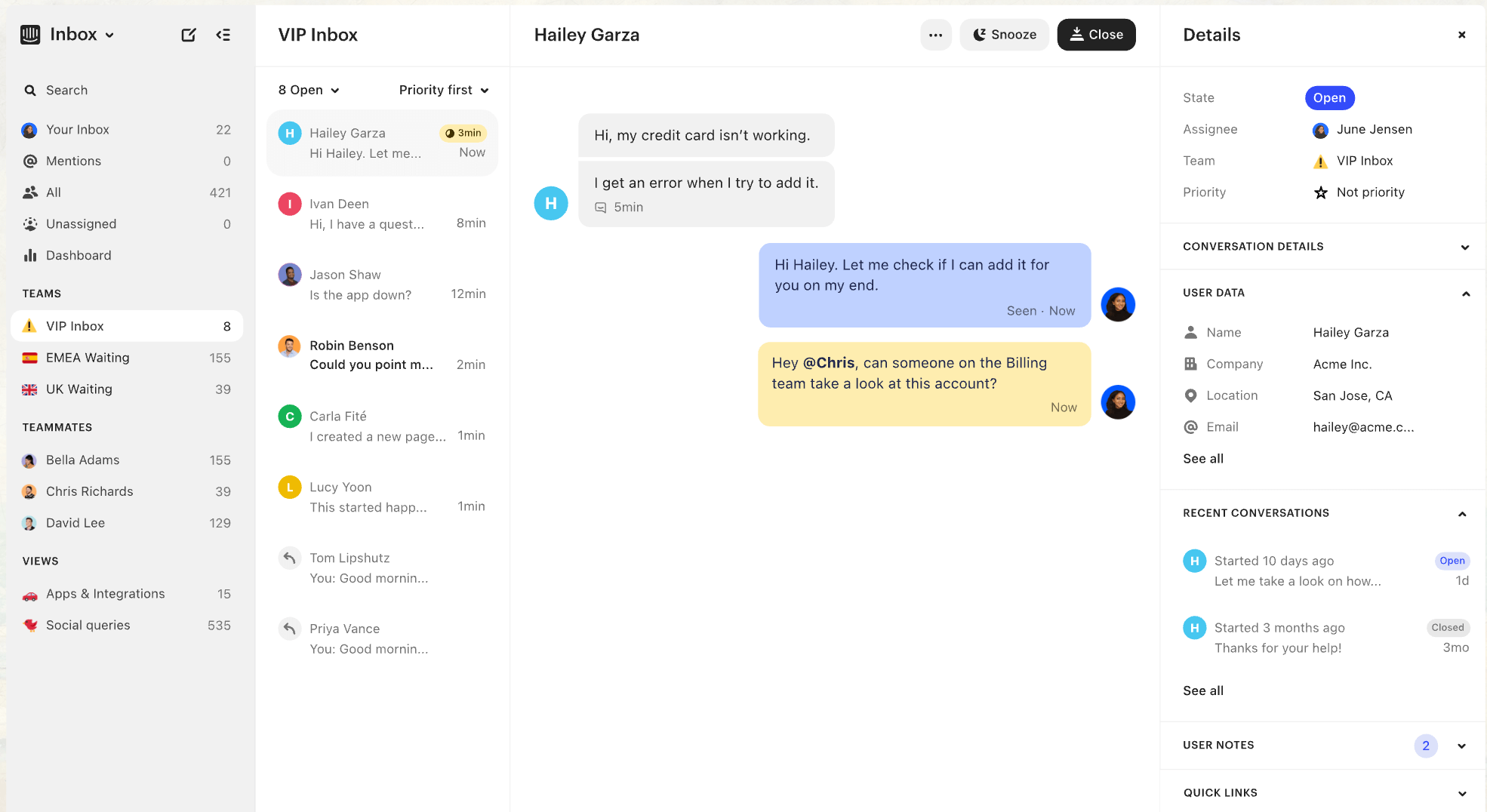
Intercom has repositioned itself around AI-first support, led by its Fin AI Agent for autonomous resolution. It pairs a polished chat widget and help center with agent copilot tools, which makes it a favorite among product-led and SaaS companies. Its AI agent automates responses for common customer queries and sorts visitors into categories for routing. Core features are the Fin AI Agent, a live chat widget, a help center, an agent copilot, and workflow automation.
Pros
- Best-in-class autonomous AI resolution and AI deflection.
- Excellent messaging and in-product support experience.
- Connects natively with Zendesk, Freshdesk, Salesforce, and HubSpot.
Cons
- Fin is billed per resolution, which can scale unpredictably at high volume and is a common source of "bill shock."
- Total cost can climb quickly for larger teams.
Pricing
Intercom uses seat-based plans starting around $29 per seat per month plus usage-based Fin resolution charges, so model your resolution volume before committing. It's best for product-led and SaaS teams that want autonomous AI deflection at the front line. Choose it over Help Scout when AI-driven autonomous resolution is your primary goal and Help Scout's AI isn't ambitious enough.
5. HubSpot Service Hub: Best for CRM-Integrated Support
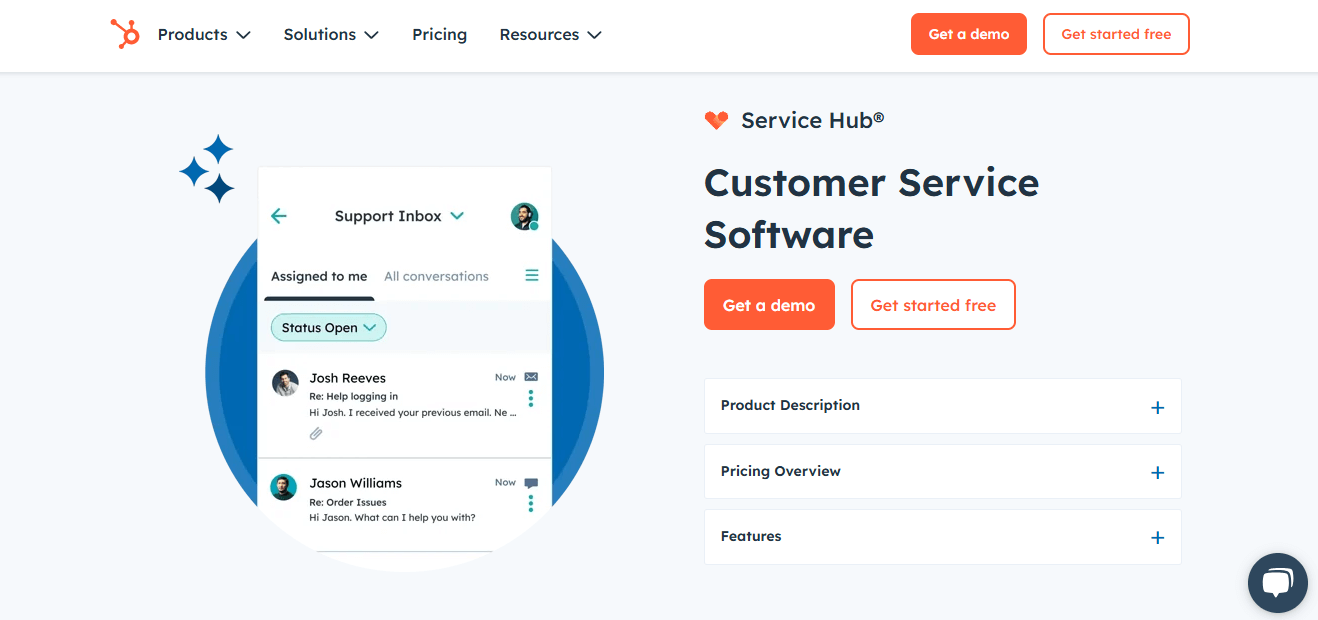
HubSpot Service Hub brings support into HubSpot's broader CRM platform, unifying tickets, knowledge base, and customer data with sales and marketing tools. If your company already runs on HubSpot, support becomes a natural extension of the same record. Features include a ticketing system, a knowledge base, a shared inbox, AI-powered tools, and deep CRM unification across marketing, sales, and service.
Pros
- Single source of truth across the entire customer lifecycle.
- Free tools to get started.
- Strong automation and reporting tied to CRM data and contact management.
Cons
- Costs can rise sharply at scale.
- Best value only if you're committed to the HubSpot ecosystem.
Pricing
Free tools are available, with paid Service Hub seats above that and a trial for premium features. It's best for teams already using HubSpot that want support unified with CRM. Choose it over Help Scout when CRM-connected ticketing and a unified customer view matter more than a standalone inbox.
6. Zoho Desk: Best Budget Pick with AI Assistant
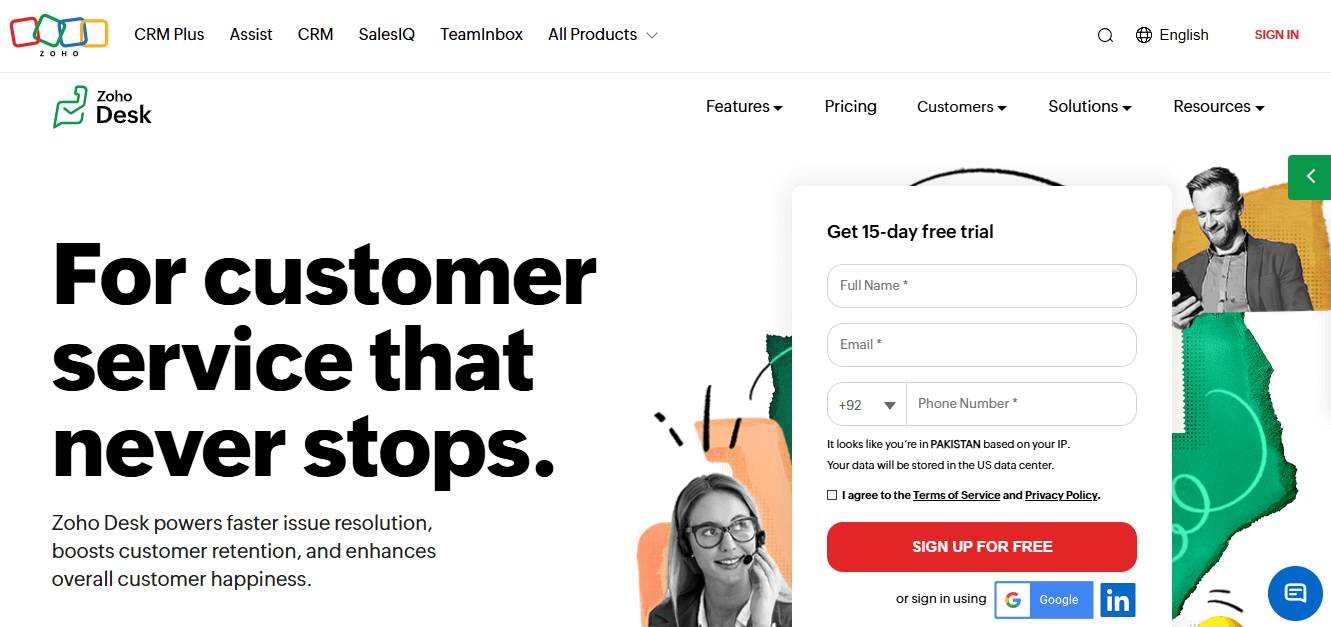
Zoho Desk is a multichannel help desk built for efficient, personalized support at an affordable price. It offers workflow automation, advanced analytics, and the Zia AI assistant, and it slots neatly into the broader Zoho suite. Key features include the context-aware Zia assistant, multi step workflows, omnichannel support across email, chat, and phone, customizable reports and dashboards, and Zoho suite integration.
Pros
- Very affordable, with a free plan for up to three agents.
- Excellent integration across Zoho apps.
- AI-driven insights and advanced reporting for efficiency.
Cons
- Some users report limited deep customization options.
- Advanced features carry a learning curve.
Pricing
Zoho Desk starts at around $14 per user per month billed annually (Standard), with a free plan for up to three agents. Confirm current tiers on Zoho's site. It's ideal for budget-conscious small businesses and existing Zoho users. Choose it over Help Scout when you want a free or low-cost entry point plus the omnichannel and AI features Help Scout doesn't bundle as cheaply, and when tying into the broader Zoho suite adds value.
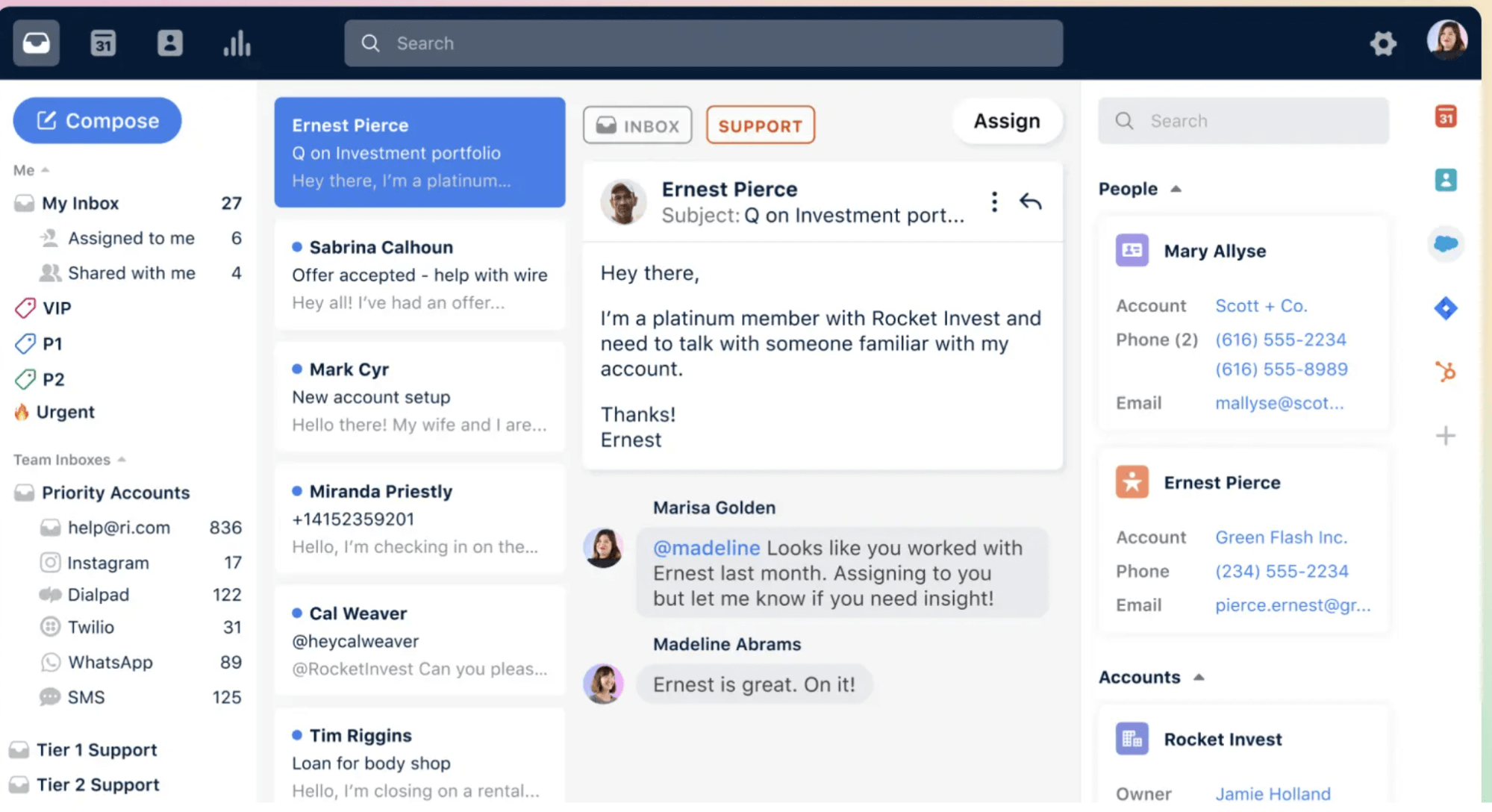
7. Front: Best for Collaborative Shared Inbox
Front blends the familiarity of email with the structure of a help desk. It works as a collaborative hub where teams manage conversations, messages, and social interactions together, with assignment, shared drafts, internal comments, and integrations to tools like Slack and Salesforce. Features include a shared inbox, message assignment, real-time collaboration, internal notes, AI-assist features, and Slack and Salesforce integrations.
Pros
- Email-style experience customers and agents find natural.
- Strong team collaboration through shared drafts and internal comments.
- Solid integration ecosystem.
Cons
- Pricing can add up as you scale seats.
- Less traditional ticketing structure than dedicated help desks.
Pricing
Front runs on per-seat plans with a free trial, so verify current pricing on its site. It's best for teams that value email-style collaboration over rigid ticket queues. Choose it over Help Scout when collaborative inbox workflows and cross-channel teamwork matter most.
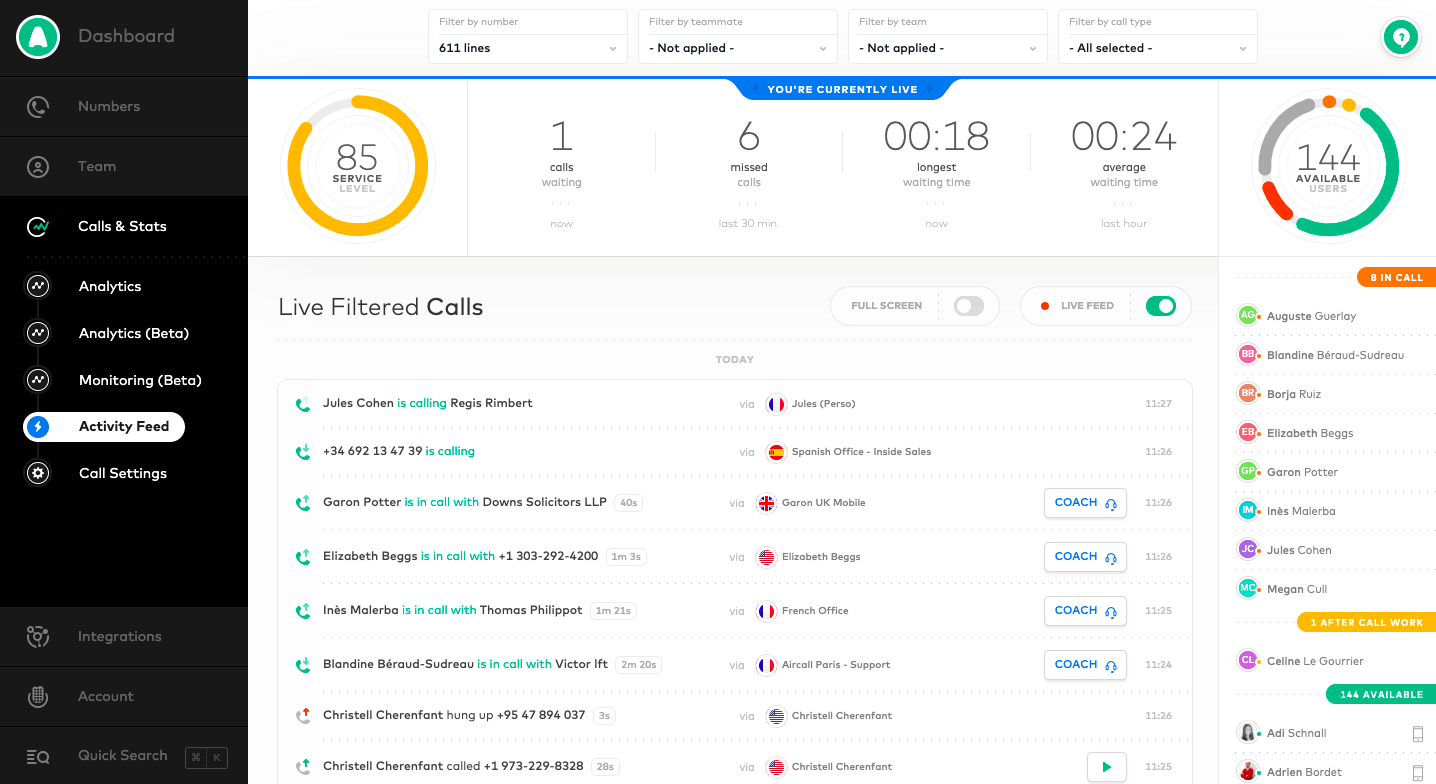
8. Gorgias: Best for Ecommerce & Shopify Support
Gorgias is purpose-built for ecommerce, with deep Shopify and WooCommerce integrations that surface order data directly inside tickets. It integrates with Shopify for omnichannel customer support and is used by roughly 40% of the top 1,500 Shopify brands, treating support as a revenue driver rather than just a cost center. Features include order and customer data in-ticket, a chat widget, AI automation, hundreds of ecommerce integrations, and multi channel communication across email, chat, social, and WhatsApp.
Pros
- Deep Shopify and WooCommerce integration with order actions in context.
- AI automation tuned for ecommerce customer queries.
- Revenue-focused reporting.
Cons
- Pricing is tied to ticket volume, which can spike in busy seasons.
- Focused on ecommerce, so less suited to non-retail B2B.
Pricing
Gorgias uses ticket-volume-based tiers with a free trial, so confirm current limits on its site. It's a natural fit for DTC and ecommerce brands, especially on Shopify. Choose it over Help Scout when you need order data and store actions inside every conversation.
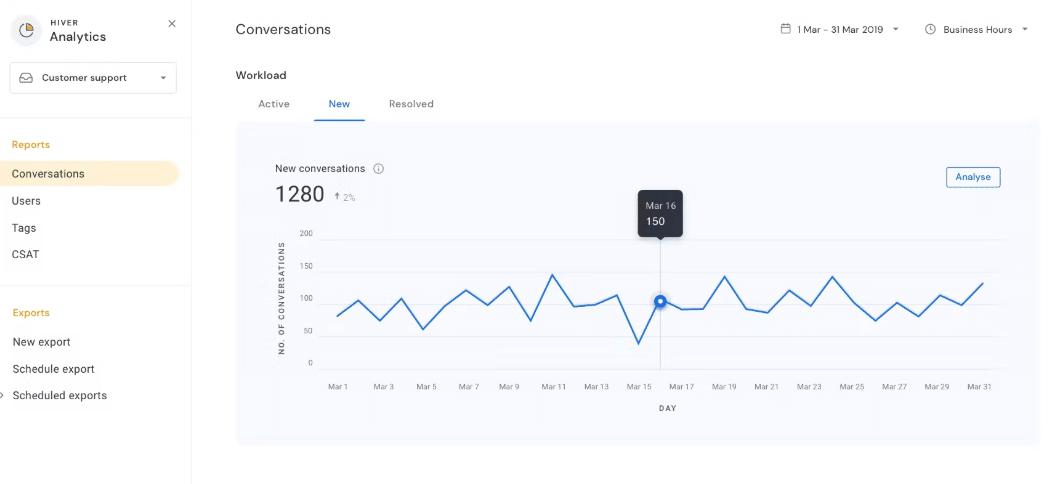
9. Hiver: Best for Gmail & Google Workspace Teams
Hiver turns Gmail into a shared-inbox help desk, so teams that live in Google Workspace get support workflows without leaving the interface they already know. It integrates seamlessly with Gmail for support operations and manages customer conversations across multiple channels, so switching friction is close to zero. Features include Gmail-native shared inboxes, SLA and real-time analytics, automated ticket assignments, and AI layered into the inbox.
Pros
- No new interface to learn for Gmail users.
- Real-time insights into support metrics and performance.
- Automates ticket assignments and internal collaboration, and integrates with Slack for real-time team collaboration.
Cons
- Tied to the Google ecosystem.
- Channel coverage beyond email is more limited than full omnichannel suites.
Pricing
Hiver uses per-user plans starting around $25 per user per month with AI capabilities included across all paid plans, plus a free trial. Its AI can extract account details and flag urgency automatically. It's built for teams that run their day inside Gmail and Google Workspace. Choose it over Help Scout when minimizing switching friction and staying inside Gmail outweighs a standalone platform.
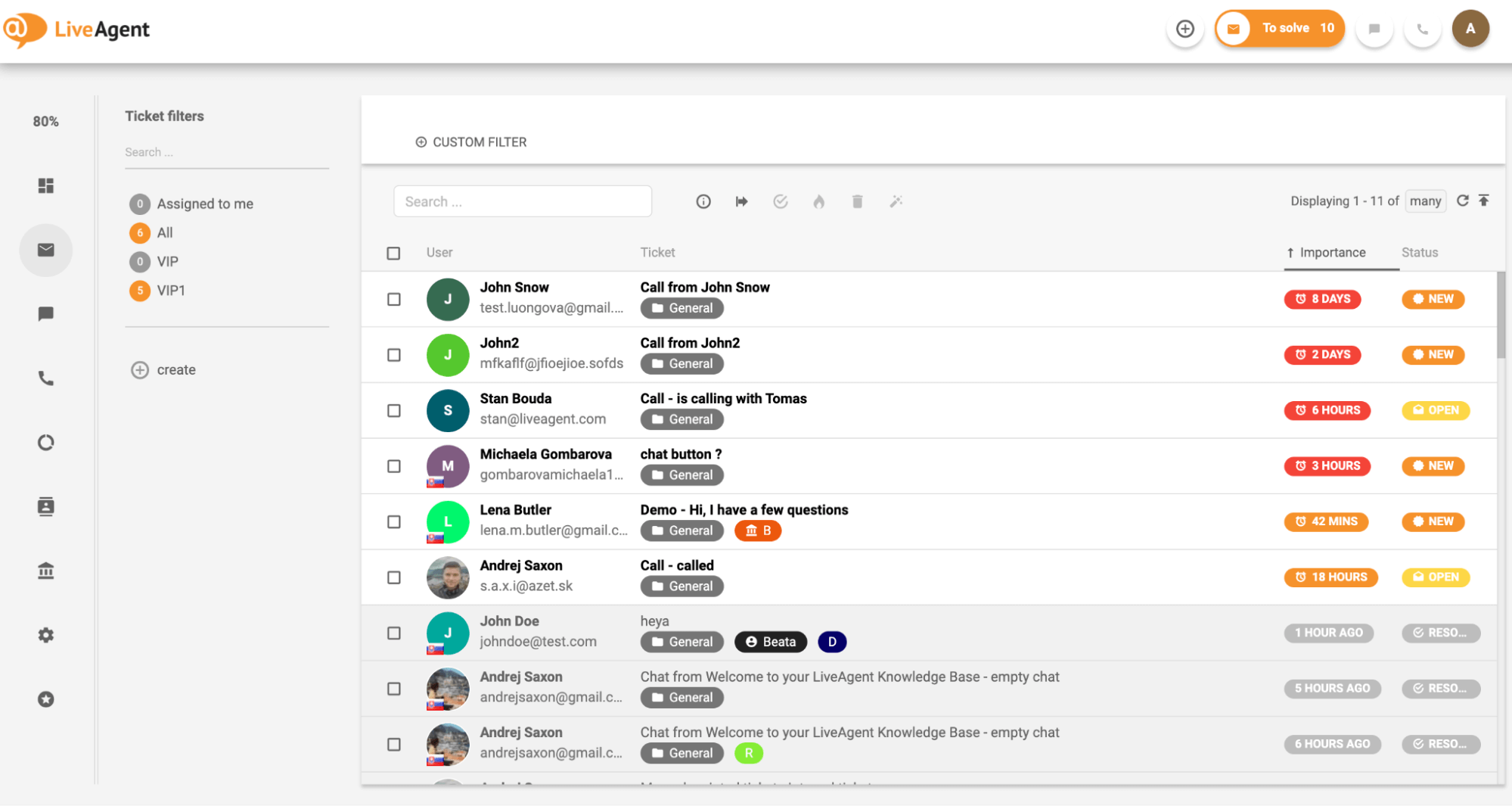
10. LiveAgent: Best for Multichannel on a Budget
LiveAgent unifies email, live chat, phone, and social media into one platform, which makes it a strong value pick for teams that need many channels without a premium price tag. It pairs a robust ticketing system with a knowledge base and self service portal. Features include real-time chat, ticketing, a knowledge base, a customer portal, and social media integration.
Pros
- Broad channel coverage in one tool.
- Robust ticketing and detailed reporting.
- Affordable relative to feature depth.
Cons
- The interface can feel dated.
- Feature breadth can overwhelm small teams.
Pricing
LiveAgent offers a free tier and a 14-day free trial, with per-agent paid plans above that. It's best for teams needing many channels at low cost. Choose it over Help Scout when you need phone and live chat baked in without moving upmarket on price.
11. HappyFox: Best for Mid-Market Ticketing & Automation
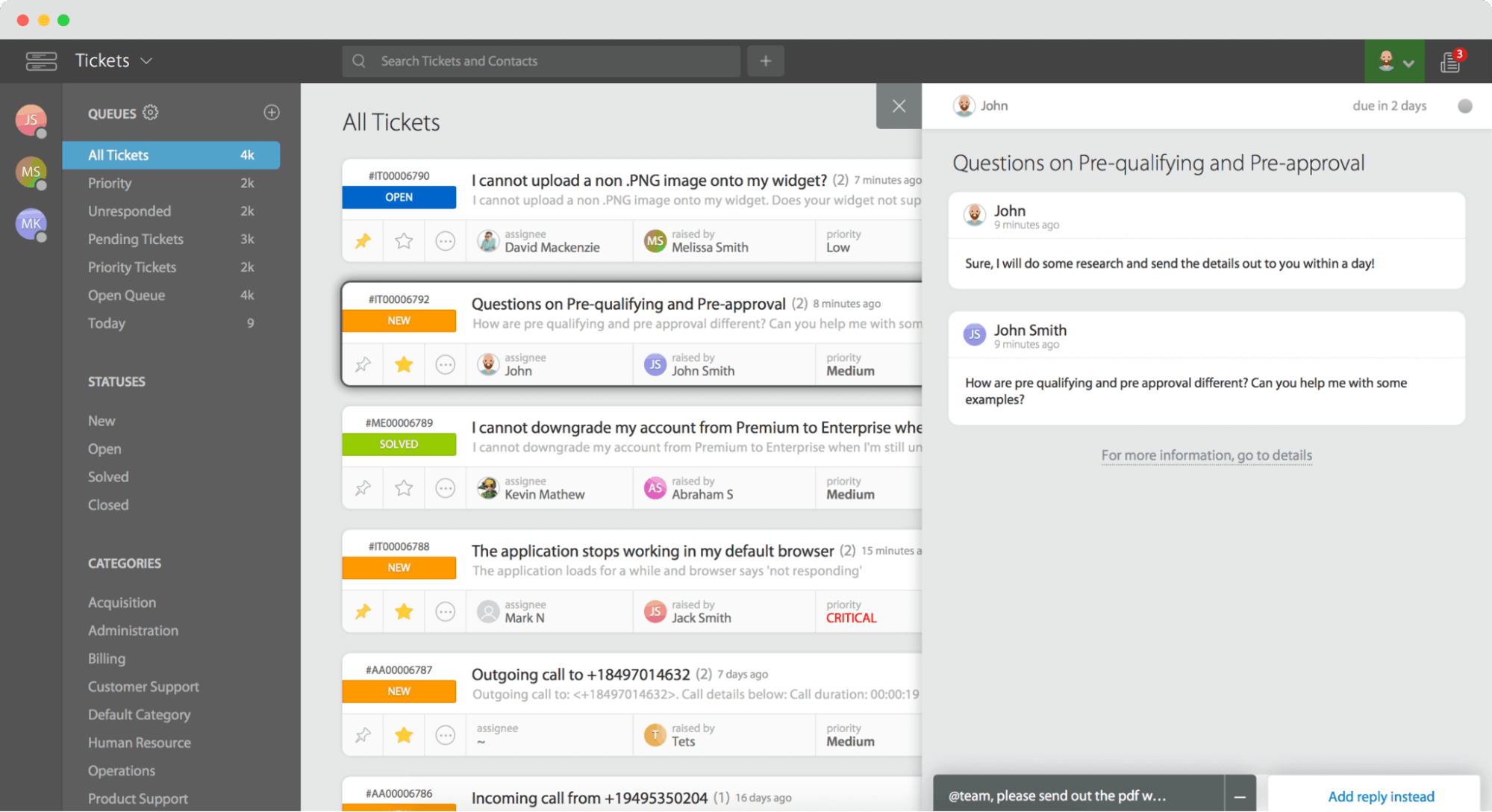
HappyFox is an all-in-one help desk aimed at mid sized teams and larger organizations that need strong automation, omnichannel ticketing, and customizable workflows in one place. Features include omnichannel ticketing across email, chat, social, and calls, automation and ticket routing, an integrated knowledge base and self service portals, and advanced reporting.
Pros
- Comprehensive feature set for mid-market and larger teams.
- Excellent ticketing and multi step workflows.
- Strong self-service tooling.
Cons
- Higher cost than lightweight tools.
- Advanced features carry a learning curve.
Pricing
Pricing starts around $29 per agent per month (Basic), so confirm current tiers on HappyFox's site. It's best for mid-sized and large teams that need robust automation and reporting depth. Choose it over Help Scout when automation and reporting outrank simplicity.
12. Groove: Best Simple Help Desk for Small Teams
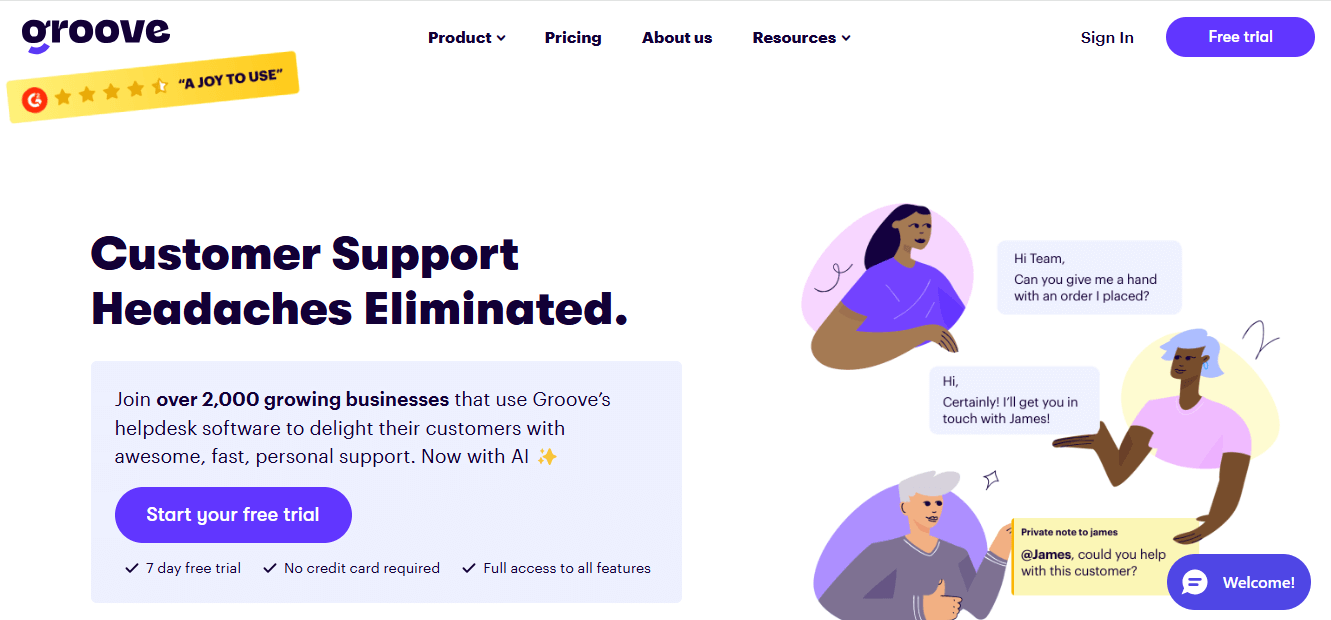
Groove is a straightforward shared-inbox help desk designed for small teams that want to deliver personal support without complexity. It focuses on the essentials: a shared inbox, a knowledge base, and reporting. Features include a shared inbox for team collaboration, a knowledge base, reporting and analytics, and integrations with Slack, Trello, and Shopify.
Pros
- Easy to set up and use, even for tiny teams.
- Affordable pricing tailored for startups.
- Clean, intuitive interface.
Cons
- Limited advanced features versus larger platforms.
- No native live chat or phone support.
Pricing
Pricing starts around $12 per user per month (Starter), so confirm current pricing on Groove's site. It's best for startups and small businesses that want simplicity. Choose it over Help Scout when you want an even simpler, budget-friendly shared inbox for a small team.
13. Kayako: Best for Conversational, Journey-Based Support
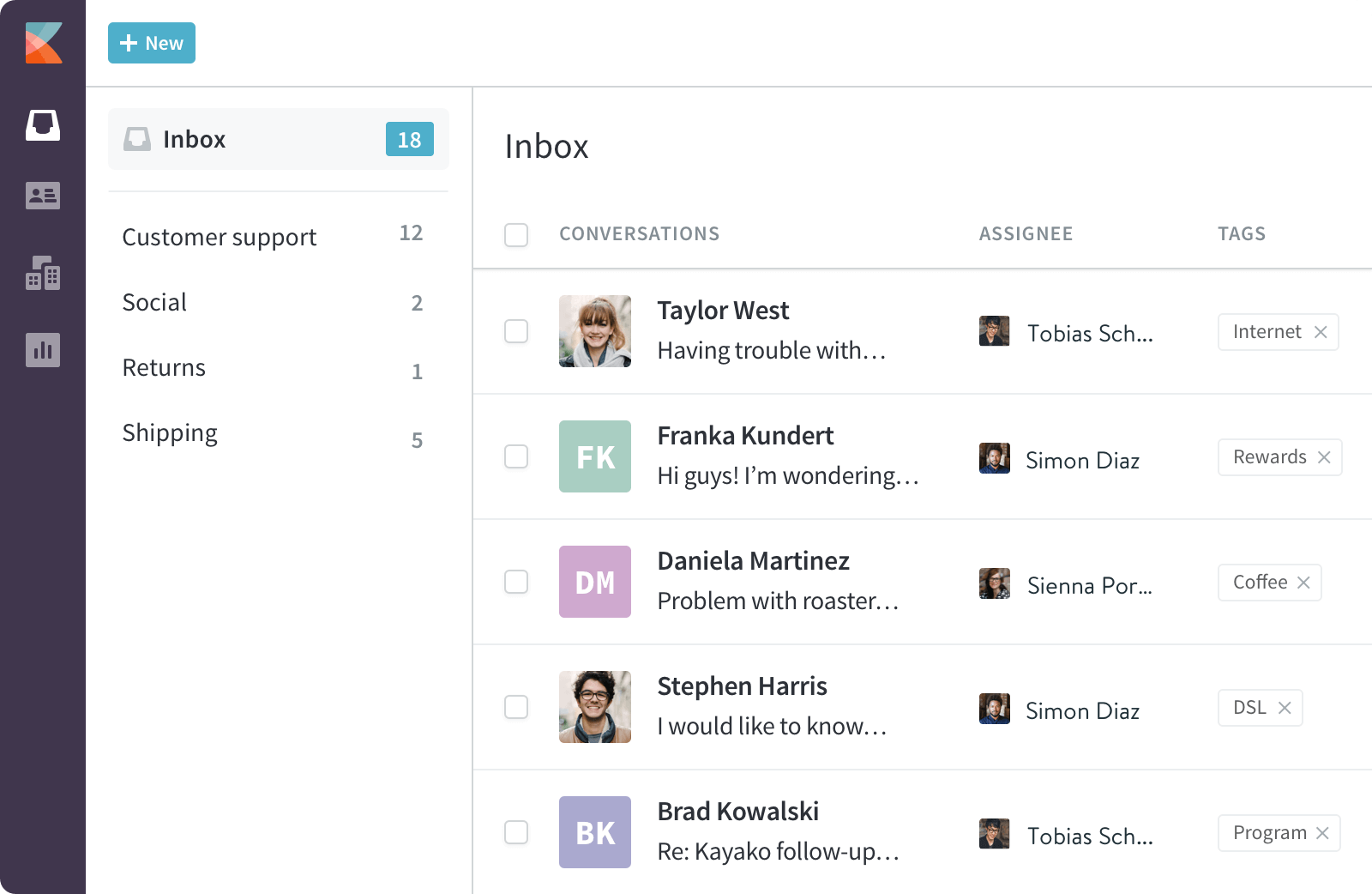
Kayako centers on the customer journey, giving support agents a unified view of every interaction across channels so conversations feel continuous rather than fragmented. Its AI focuses on automating workflows and reducing ticket backlog, and it automates ticket routing and updates across systems. Features include omnichannel support across live chat, email, social, and phone, a customer journey view, collaboration tools, automated ticketing and routing, and analytics.
Pros
- Intuitive interface.
- Strong reporting and analytics.
- Great for collaborative teams that value conversation context.
Cons
- Fewer integrations than some competitors.
- Setup can feel complex.
Pricing
Pricing starts around $15 per agent per month (Basic), with a 14-day free trial, so verify current pricing on Kayako's site. It's best for teams that want unified conversation context across channels. Choose it over Help Scout when a connected customer-journey view is central to how you support.
14. Crisp: Best for Startups Wanting Chat + AI
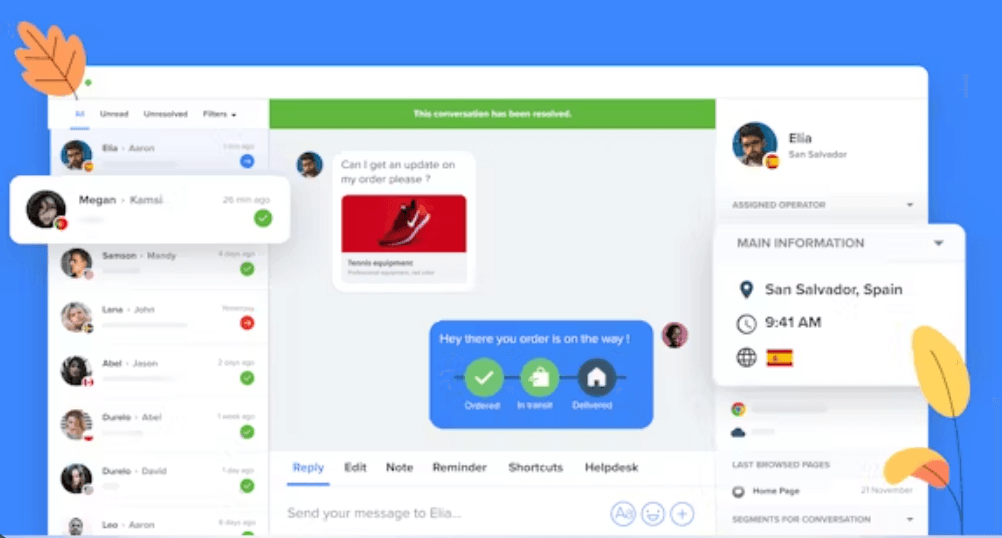
Crisp is a messaging-first support platform that combines a shared inbox, chat widget, chatbot, and AI answers. Its affordable entry point and free tier make it popular with startups and small businesses that prioritize chat and messaging. Features include a shared inbox, a chat widget, a business chatbot, WhatsApp support, and AI answers.
Pros
- Affordable, with a free tier to start.
- Strong chat and messaging channels.
- AI answers for common questions.
Cons
- Reporting is lighter than enterprise tools.
- Scaling limits for very large teams.
Pricing
Crisp offers a free tier plus affordable per-workspace paid plans, so confirm current pricing on its site. It's best for startups and small businesses focused on chat and messaging. Choose it over Help Scout when live chat, messaging, and chatbots are your primary channels.
15. Emerging & Niche Alternatives (Tidio, Stonly, Featurebase, Missive, Customerly, eesel AI)
Beyond the core list, several niche tools fit specific needs:
- Tidio is a chat-first platform for small teams that pairs a shared inbox with AI, ideal for SMB and ecommerce teams that want quick, conversational support and automation.
- Stonly builds interactive guides and step-by-step self-service that cut ticket volume through better deflection.
- Featurebase runs feedback boards and changelogs, handy for product-led teams that want to close the loop on customer feedback.
- Missive combines customer support with internal team communication in a collaborative inbox for teams that manage shared email and chat together.
- Customerly offers chat and CX tooling with automation for growing teams.
- eesel AI / Hugo AI are AI overlays that layer autonomous agents on top of an existing help desk. More on this below.
Honorable mentions worth a look include Salesforce Service Cloud for large enterprises already on Salesforce, plus ProProfs and HelpSpace for teams wanting simple, knowledge-base-forward support.
AI Capabilities Compared: Agents, Copilot & Autonomous Resolution
AI is now the biggest differentiator between desk solutions. Here's how the leaders stack up across the capabilities that matter.
| Capability | What it does | Strong options |
|---|---|---|
| Autonomous resolution | AI resolves tickets end-to-end without an agent | HelpDesk.com, Intercom (Fin), Freshdesk (Freddy), Zendesk AI agents |
| Agent copilot / assist | Drafts replies and suggests next steps for humans | HelpDesk.com, Freshdesk, Intercom, HubSpot |
| Intent-based triage | Classifies and routes tickets by intent | Zendesk, Freshdesk, Zoho Desk (Zia) |
| Knowledge-grounded answers | AI answers grounded in your docs/help center | Intercom, Crisp, eesel AI |
| AI QA | Automated quality review of conversations | Enterprise-tier options across Zendesk and others |
How does Help Scout's AI compare to competitors? Help Scout offers AI assist features, but it doesn't position itself as an autonomous-resolution platform the way Intercom's Fin or Freshdesk's Freddy do. If your goal is to deflect a large share of support tickets automatically, an AI-first scout competitor will generally take you further, and it's worth weighing AI quality alongside raw features.
Layering AI on Your Existing Helpdesk (Without Migrating)
Can I use an alternative without migrating my email data? Yes, and you may not need to switch platforms at all. AI-overlay tools like eesel AI and Hugo AI layer ai agents on top of your existing help desk, Help Scout included. Instead of a full migration, you connect the overlay to your knowledge base and inbox, and it drafts or resolves tickets in place.
This is a pragmatic middle path. You keep your current setup and history while adding modern AI automation. It's a good option if weak AI is your only switching trigger, though a full platform move still makes sense when reporting, SLAs, or pricing are also pain points.
AI Pricing Models Compared: Per-Resolution vs Flat-Rate vs Bundled
AI features are where surprise bills happen. Understanding the billing model before you commit is the single best way to avoid "bill shock."
| Model | How it works | Examples | Watch out for |
|---|---|---|---|
| Per-resolution | You pay each time AI fully resolves a ticket | Intercom Fin | Costs scale directly with volume; forecast carefully |
| Per-session | You pay per AI interaction session | Freshdesk Freddy | Sessions can add up during spikes |
| Flat-rate / bundled | AI included in the plan or a fixed add-on | HelpDesk.com and others | Verify usage caps and fair-use limits |
How do AI pricing models differ? Per-resolution and per-session models are usage-based, so your bill rises with ticket volume. That's fine when you're small and riskier at scale. Flat-rate or bundled AI makes budgeting more predictable. Look for spend caps and free AI credits or trial credits so you can test without runaway costs, and always confirm current rates on each vendor's pricing page, since AI pricing changes frequently.
Pricing & Free Plans: How Much Can You Save vs Help Scout?
How much does Help Scout cost and how does its pricing compare? Help Scout uses tiered plans that have historically factored in contact volume alongside users. That per-contact element is exactly what sends many teams shopping around: as your audience grows, costs can climb even if your agent count stays flat. It's the number-one reason people compare helpscout competitors.
Most alternatives here use straightforward per-agent pricing, which is easier to forecast. Directionally, Zoho Desk starts around $14 per agent with annual billing (plus a free plan for three agents), Groove around $12 per user, Kayako around $15 per agent, and HappyFox around $29 per agent. Freshdesk and LiveAgent offer a free tier, and HubSpot provides free tools.
How much can you save? Savings depend on your contact volume and AI usage. Teams with large contact lists but modest agent counts often save the most by moving to a per-agent model. Just remember to add AI costs into your total. A cheap base plan with per-resolution AI can end up pricier than a bundled option. Look for free trials with no card required and free migration offers to de-risk the switch, and verify every figure on the vendor's own pricing page.
What's the Best Free Help Scout Alternative?
For most teams, the best free help scout alternative is Zoho Desk, which offers a genuinely free plan for up to three agents with omnichannel basics and the Zia AI assistant. Chat-first teams can look at Crisp and Tidio, both of which have a free tier, while Freshdesk and LiveAgent include free plans too. If you specifically need a free forever plan or a permanent free plan, confirm current free-tier limits before you rely on them, since vendors adjust these regularly.
Security & Compliance Comparison (SOC 2, GDPR, HIPAA)
For B2B and regulated industries, certifications can be a hard requirement. Here's a general map. Always confirm current, in-scope certifications directly with each vendor, especially for HIPAA or regulated data.
- SOC 2 Type II is commonly offered by HelpDesk.com, Zendesk, Intercom, Freshdesk, HubSpot, Zoho Desk, HappyFox, Hiver, and Gorgias.
- GDPR is supported broadly across the alternatives in this guide.
- HIPAA is available with specific configurations from vendors such as Zendesk, Intercom, Zoho Desk, HappyFox, and Hiver, typically on higher tiers or with a signed BAA.
If you operate in healthcare, finance, or another regulated space, request the vendor's current compliance documentation and confirm which certifications apply to the plan you're buying.
Data Migration: Switching from Help Scout Without Losing Email Data
The fear of losing conversation history keeps many teams on a platform longer than they should. In practice, migrating is manageable.
- Import conversations and history. Most alternatives support importing past tickets, contacts, and support conversations, so agents keep full customer context and email threads stay intact.
- Use free migration offers. Several vendors offer assisted or free migration to win your business, so ask before you buy.
- Choose your method. API-based migration preserves the most metadata, while CSV imports work for simpler moves.
- Avoid downtime. Run the new platform in parallel during cutover, forward email, and switch routing once you've validated the import.
And if you'd rather not migrate at all, remember the AI-overlay route: layer AI onto Help Scout and keep your existing data in place.
How to Choose the Right Help Scout Alternative for Your Team
The smartest way to choose the right helpscout alternative is to match the tool to your switching trigger, the specific gap pushing you to leave.
- Need native SLAs and enterprise scale? Zendesk.
- Ecommerce or Shopify? Gorgias.
- AI-first autonomous resolution? Intercom, but mind the per-resolution billing.
- Living in Gmail? Hiver.
- Tight budget or want a free plan? Zoho Desk.
- Want simplicity and transparent pricing? HelpDesk.com or Groove.
- Already on HubSpot? HubSpot Service Hub.
- Balanced features plus AI? Freshdesk.
Start from your biggest pain point, shortlist two or three tools, and run a free trial with real customer interactions before committing. That's the fastest way to separate the best alternatives to helpscout for B2B and growing teams from the ones that only look good on paper. Weigh the pricing tier, collaboration features, and reporting depth against how you actually manage conversations day to day.
Who Should Stick With Help Scout (and Why)
Not everyone should switch. Help Scout remains an excellent fit for teams that value simplicity, team collaboration, and a human-centered approach to customer support.
- Small to medium-sized businesses wanting an affordable, user-friendly help desk with quick onboarding.
- Customer-centric teams that prioritize thoughtful, personalized customer interactions, with saved replies and customer profiles.
- Startups and growing teams that want a clean shared inbox with room to grow.
- Remote and collaborative teams that rely on internal notes, tagging, and one inbox to stay aligned.
Does Help Scout scale for growing businesses? It scales well for teams that stay within its sweet spot of collaborative, human-led support. The friction shows up when you need native SLA enforcement, deep custom reporting, aggressive AI automation, or predictable pricing at high contact volumes. That's the point where the alternatives above pull ahead.
Frequently Asked Questions
What are the disadvantages of Help Scout?
Common disadvantages include limited reporting and insights, no robust native SLA/OLA management, shallower automation as volumes grow, AI that trails AI-first competitors, and a per-contact pricing element that can make costs climb as your audience grows. The simple UI is a plus for onboarding, but it can feel limiting for teams that need deep customization.
Does Help Scout support SLAs and collaboration?
Help Scout is excellent at team collaboration through shared inboxes, internal notes, and tagging that keep teams aligned. Native SLA support is more limited than dedicated desk software like Zendesk or HappyFox, so teams with strict contractual response-time commitments often look to alternatives with built-in SLA enforcement and escalation.
Which Help Scout alternative is best for ecommerce?
Gorgias is the best choice for ecommerce and Shopify teams thanks to deep store integrations that surface order data inside tickets and enable in-context actions. For chat-first ecommerce SMBs on a budget, Tidio is a strong lighter-weight option.
Which alternative is best for enterprise-scale support?
Zendesk is the leading pick for enterprise-scale support, with omnichannel coverage, native SLA management, enterprise reporting, and mature security. Freshdesk and Intercom are also strong contenders, especially where AI automation and advanced workflows are priorities.
Can I use an AI agent on Help Scout without switching?
Yes. AI-overlay tools such as eesel AI and Hugo AI layer ai agents on top of Help Scout without a full migration. You connect them to your knowledge base and inbox, and they draft or resolve tickets in place, which is a good fit when weak AI is your only reason to consider switching.
Final Recommendation: Choosing Your Help Scout Alternative in 2026
The right choice depends entirely on your switching trigger. For a modern, transparent-pricing all-rounder, HelpDesk.com is our top pick. For B2B and enterprise needs with SLAs, choose Zendesk. For the best free option, start with Zoho Desk. For ecommerce, go with Gorgias. And for AI-first autonomous resolution, Intercom leads, provided you model its per-resolution costs first.
Whatever you choose, follow three rules. Match the tool to your specific pain point. Scrutinize the AI billing model to avoid bill shock. Verify current pricing and security certifications before you commit. Ready to test a streamlined, transparent option? Start a HelpDesk.com free trial and run it against your real support tickets.
Try HelpDesk.com for free!How to transition smoothly to HelpDesk.com
Transitioning to a new helpdesk tool can be challenging, but with careful planning and execution, you can ensure a smooth migration of your tickets and data.
Migrate for free from Help Scout ticketing system
We're here to support you during the entire migration process, offering information about any related costs and, if possible, covering them for you.